Skip to content
NOKO

Built for small retailers in Ghana

The offline-first POS built for everyday retail.

Manage sales, inventory and receipts with a fast mobile workflow.

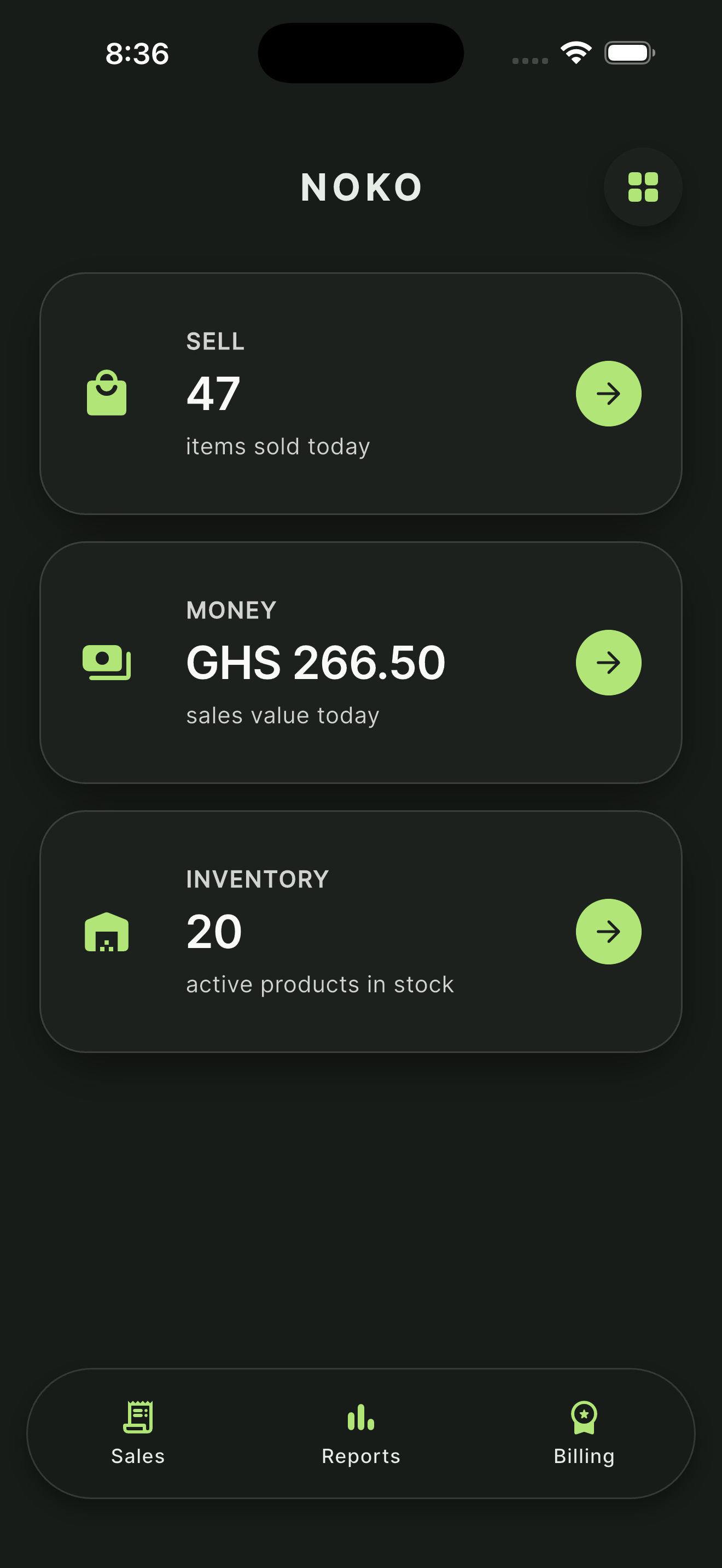
NOKO home screen showing today's SELL, MONEY, and INVENTORY metrics
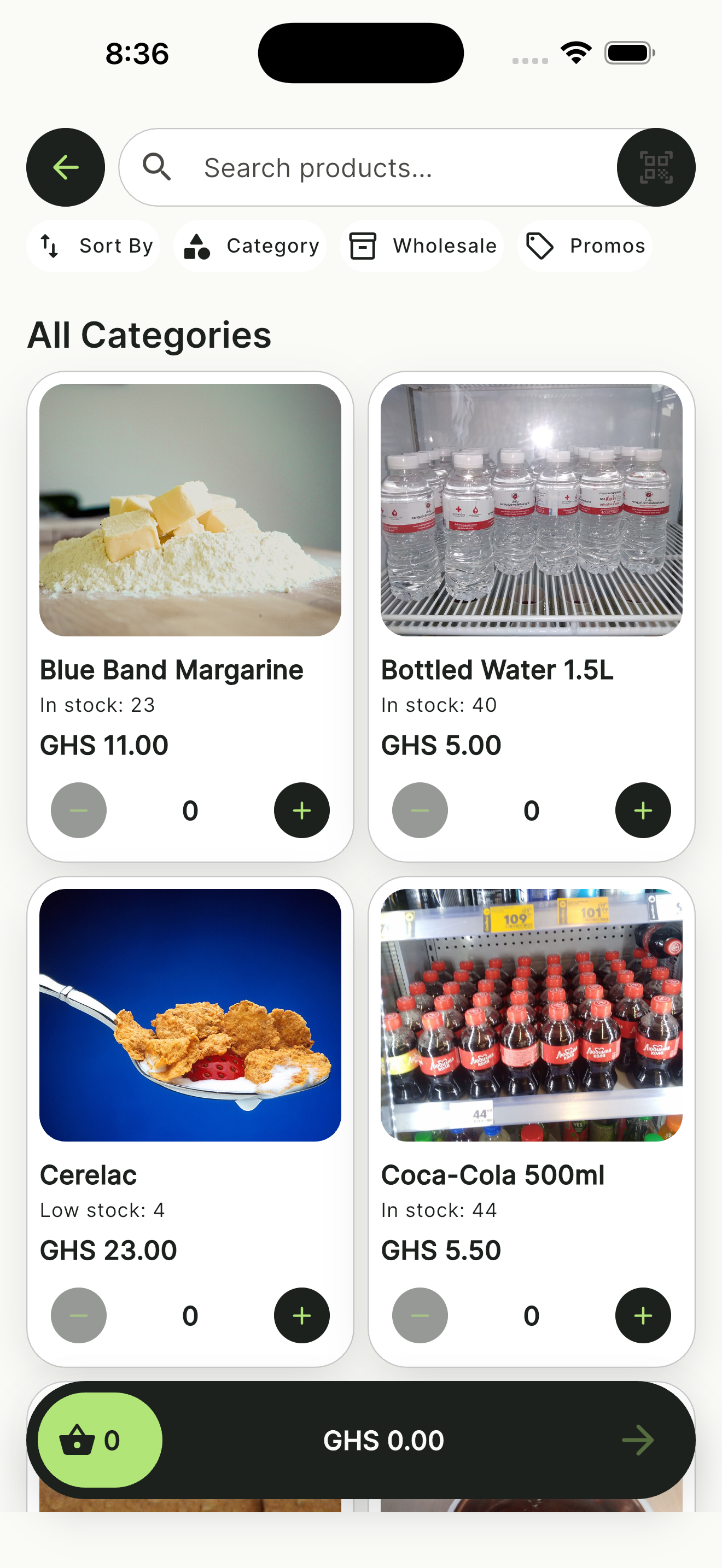
NOKO sale catalog with search, filters, product cards, and Basket
  • Offline-first

    Keep core POS work available when connectivity is unreliable.

  • Inventory control

    Track products and stock from the same app.

  • Cash checkout

    Record cash sales on the device, even when the network is unreliable.

  • Fast checkout

    Keep the selling flow focused and simple.

Features

Everything you need to run your shop

  • Sales & Receipts

    Create orders, issue receipts, and keep a record of each sale.

  • Inventory Management

    Add products, set prices, and follow stock levels in one place.

  • Payments

    Complete cash sales on the device. Other payment methods are not listed here until they are approved.

  • Reports & Insights

    Review sales activity and see what is moving in your shop.

  • Customers

    Save customer details for repeat visits and follow-up.

  • One shop device

    NOKO is built for a single shop device that keeps catalog, stock, and sales on the phone.

App screenshots

See NOKO in action

  • NOKO home screen showing today's SELL, MONEY, and INVENTORY metrics

    Home

    Run today's business at a glance.

  • NOKO sale catalog with search, filters, product cards, and Basket

    Sale catalog

    Find products and start a sale in seconds.

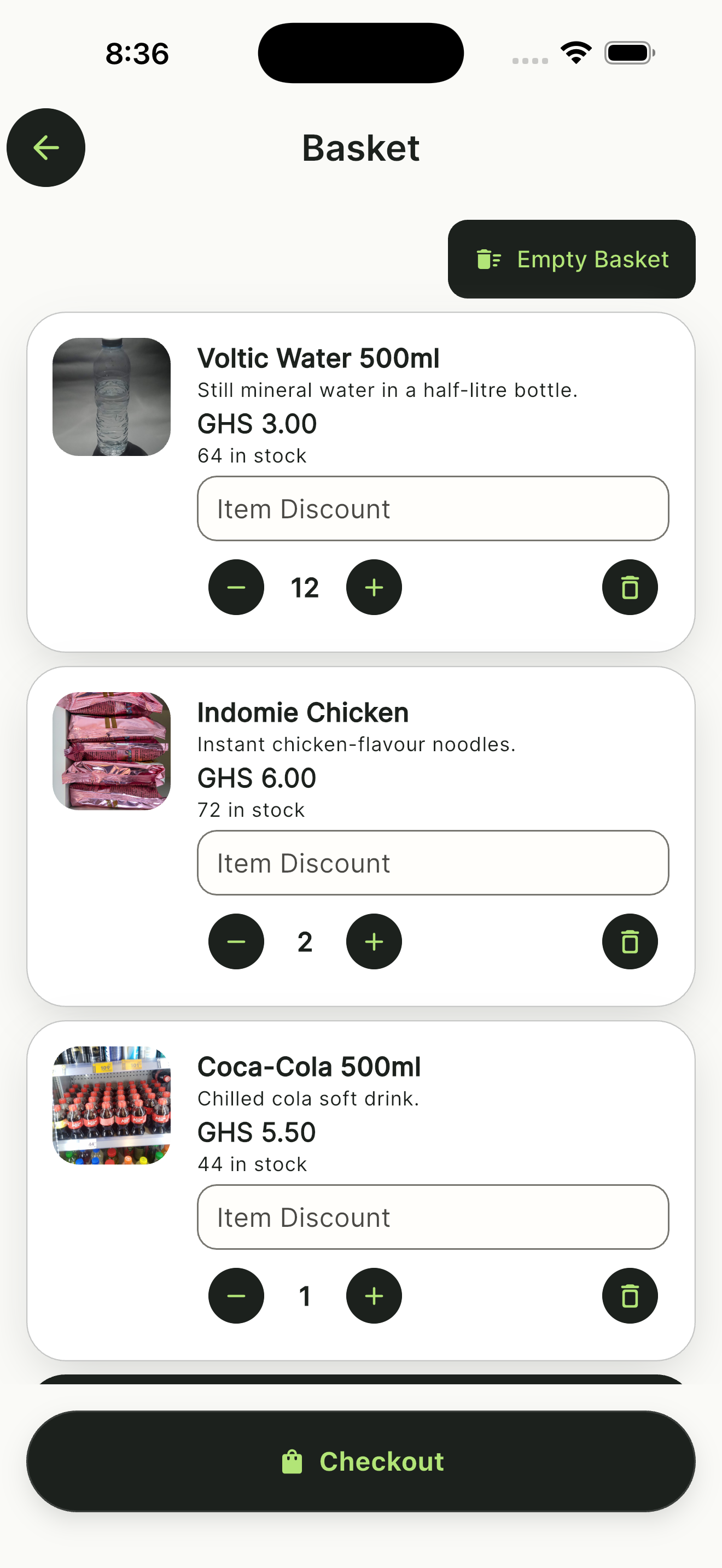
  • NOKO basket with product quantities and totals

    Basket

    Adjust quantities and pricing before checkout.

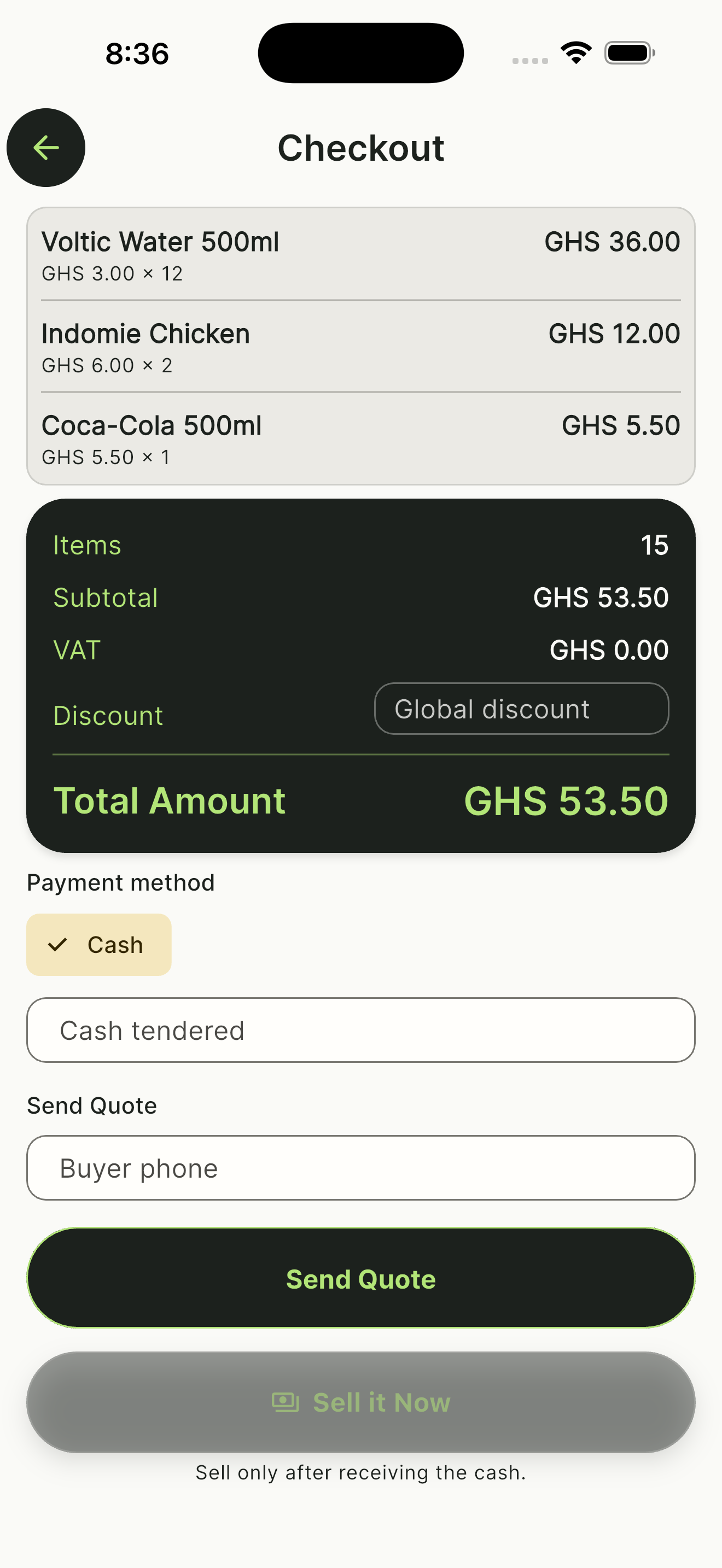
  • NOKO checkout with subtotal, VAT, discount, and Sell it Now

    Checkout

    Review the sale and choose how the customer pays.

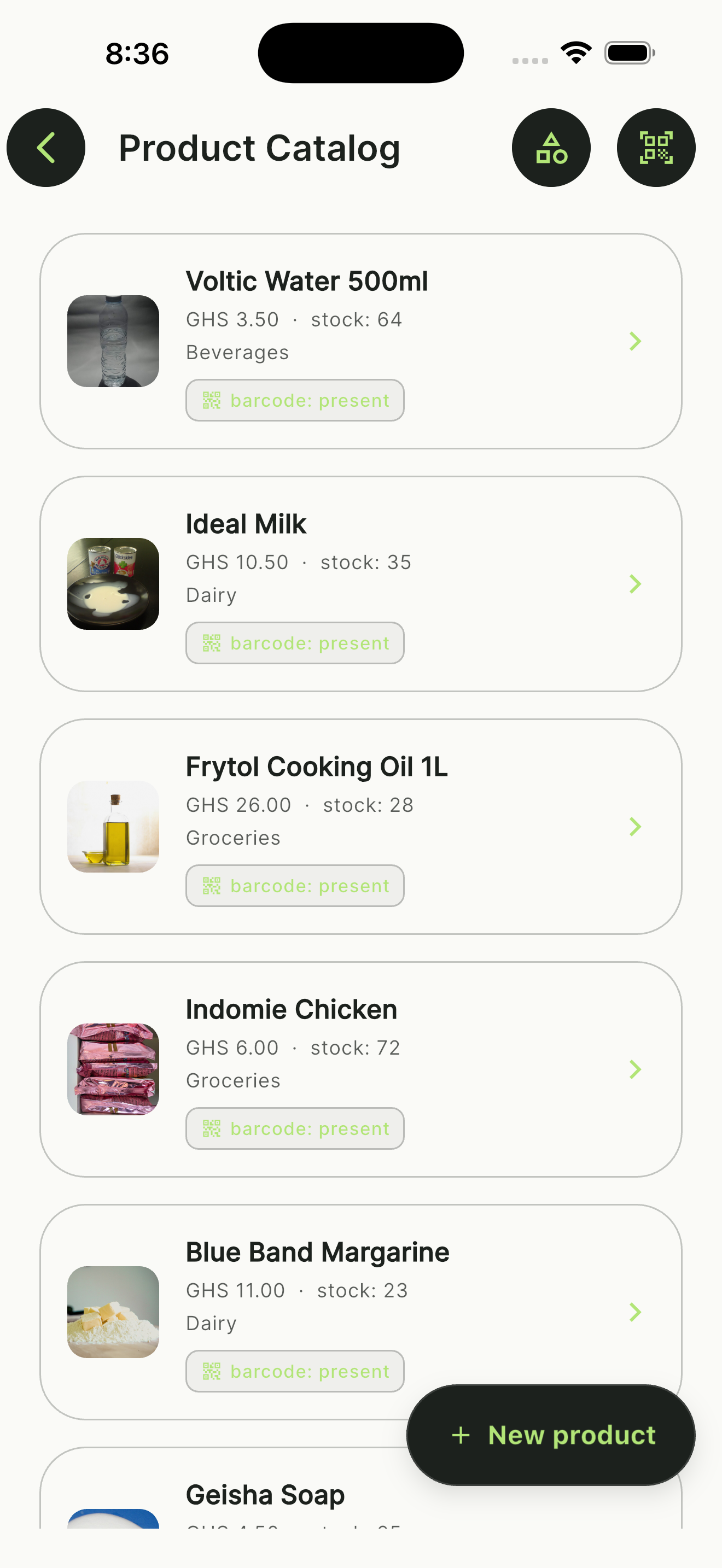
  • NOKO product catalog with images, prices, and add-product action

    Product catalog

    Keep your entire product catalog organized.

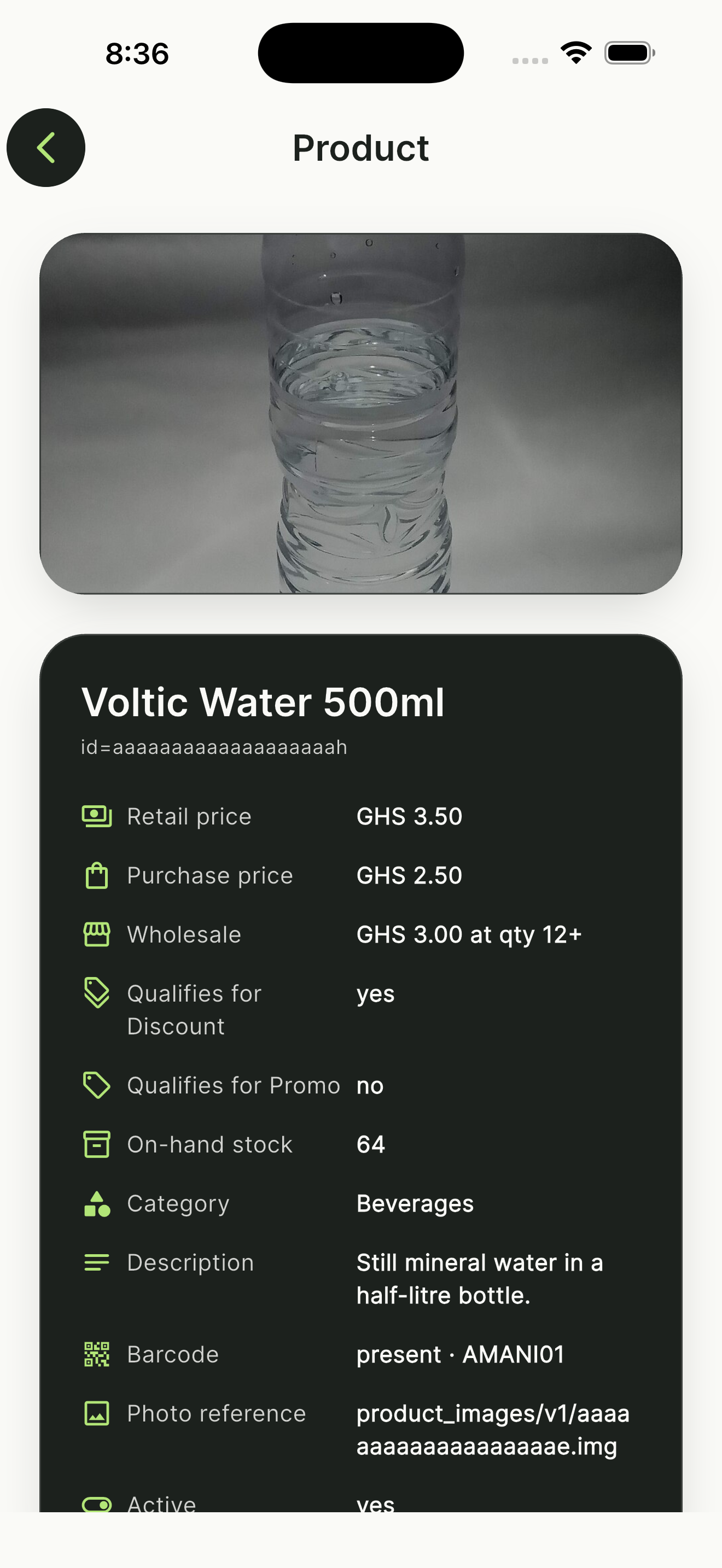
  • NOKO product detail with photo, pricing, barcode, and stock

    Product detail

    Manage product information, pricing, and selling rules.

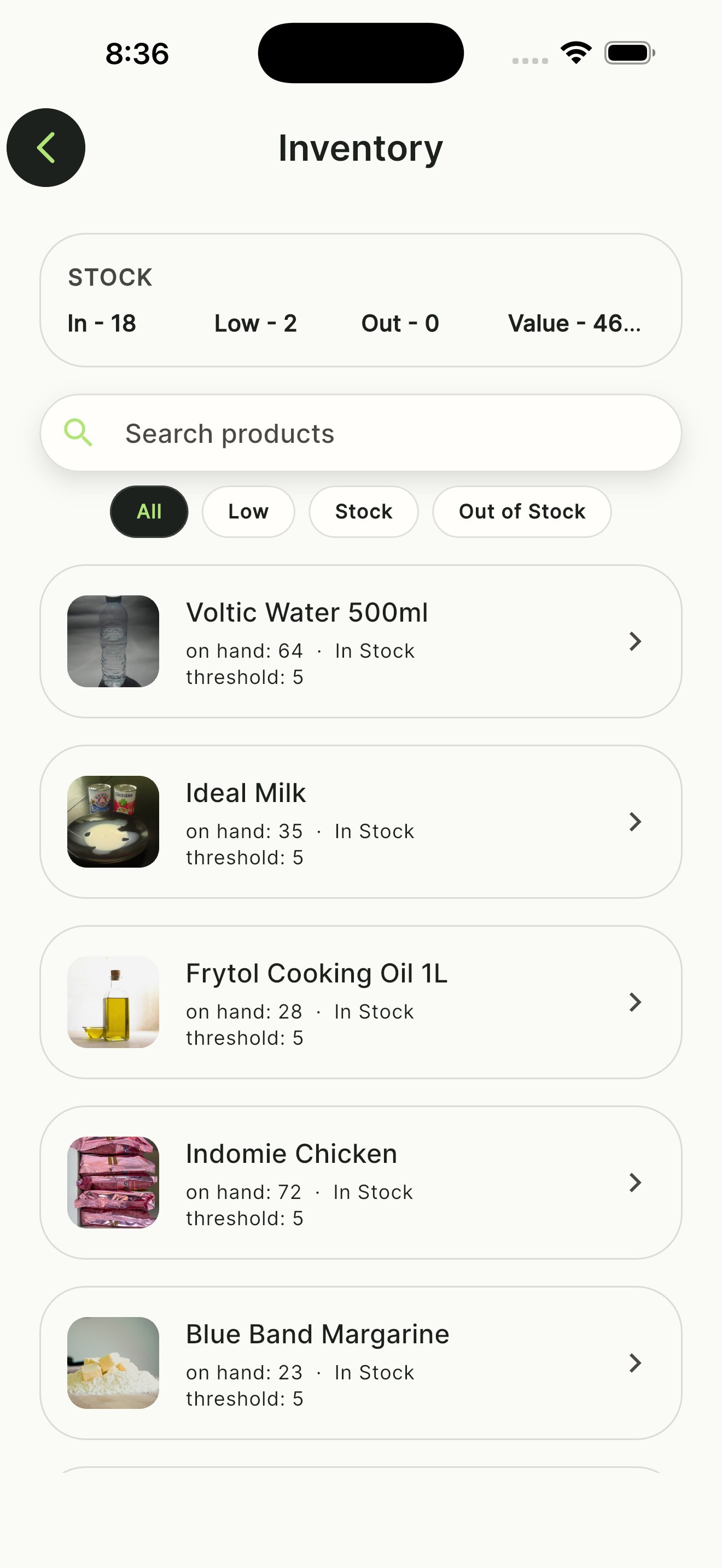
  • NOKO inventory workspace with stock quantities

    Inventory

    Know what is in stock and what needs attention.

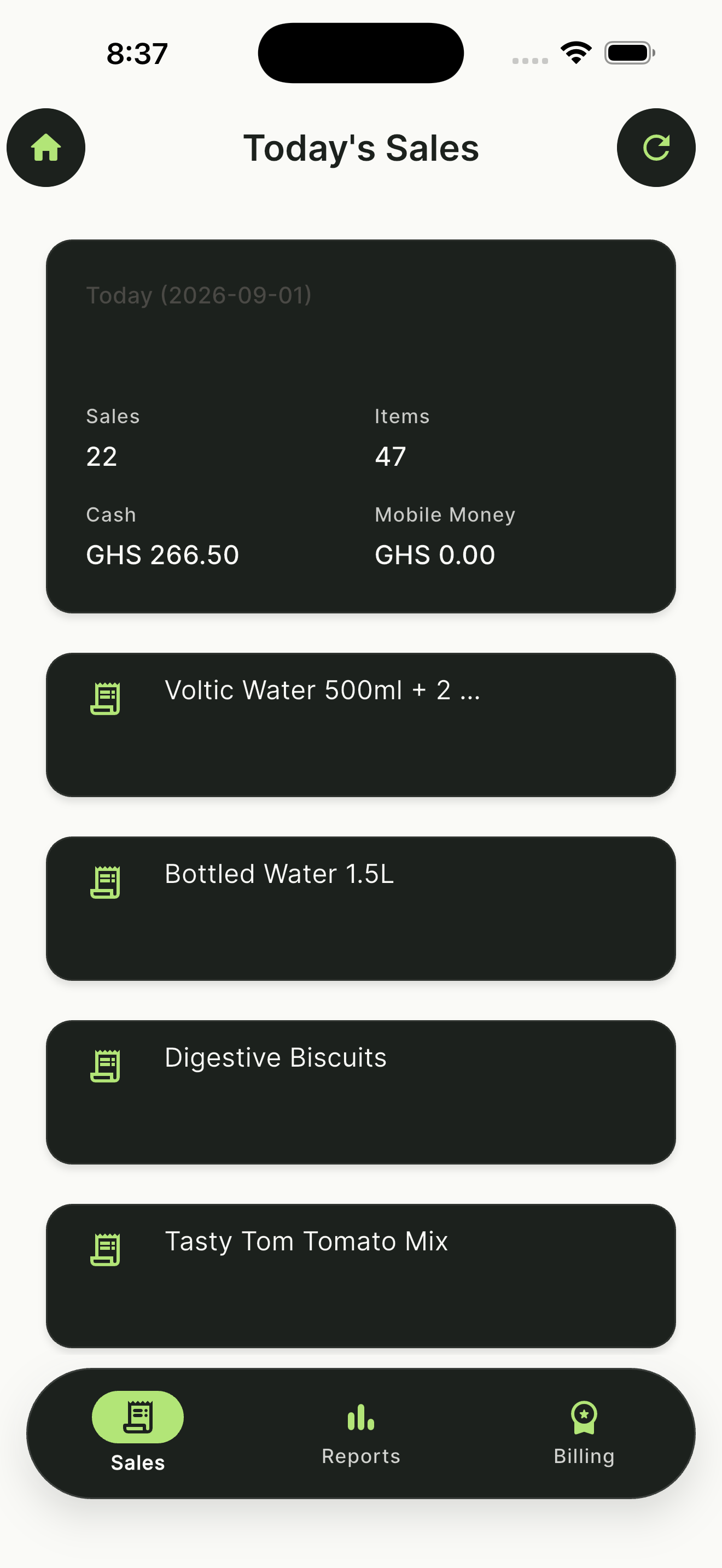
  • NOKO today's sales list with times, amounts, and payment methods

    Today's sales

    See completed sales as the day unfolds.

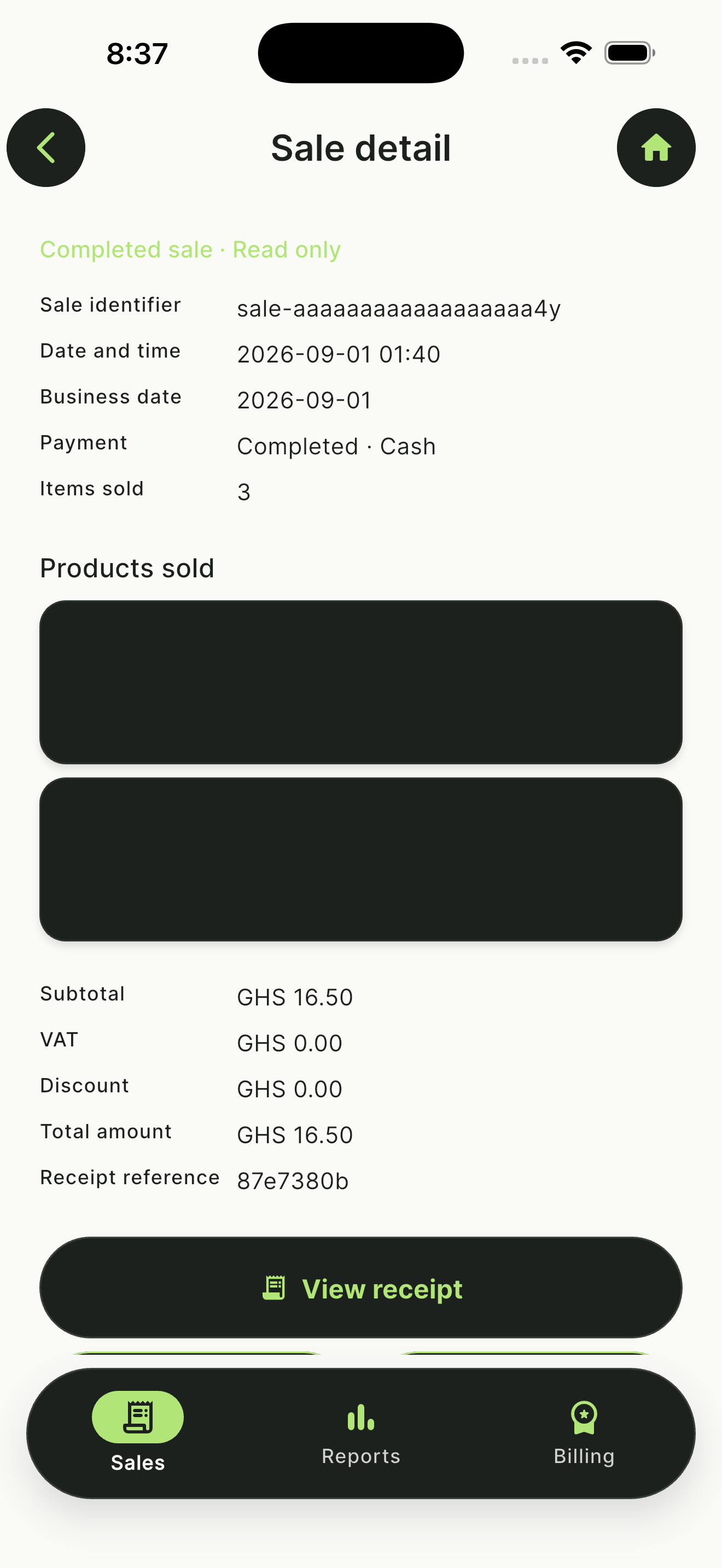
  • NOKO completed sale record with line items and total

    Sale detail

    Keep a clear, immutable record of every completed sale.

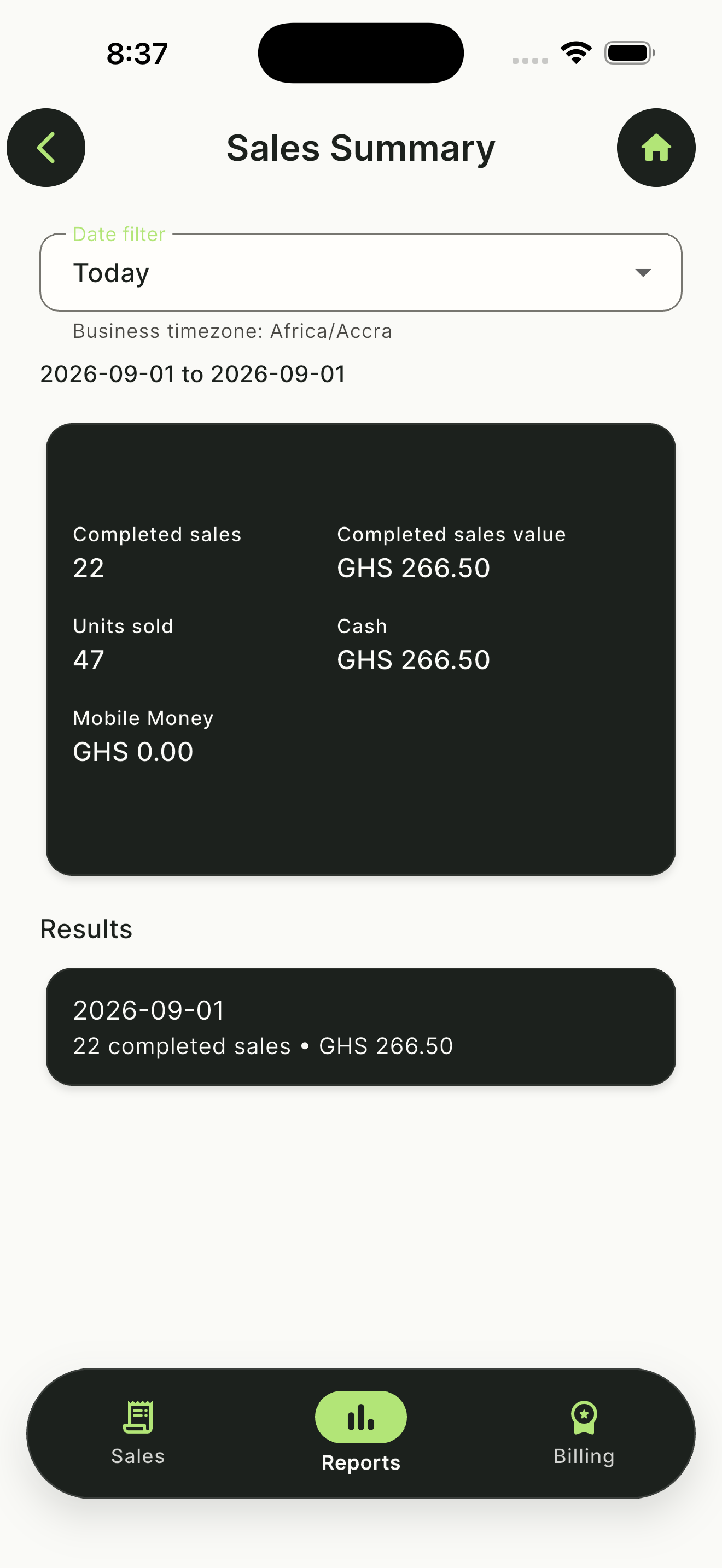
  • NOKO sales summary report with a clear period and non-zero values

    Reports

    Turn daily activity into useful business insight.

How it works

How it works

  1. 01

    Set up your shop

    Add your shop details and opening stock on the device.

  2. 02

    Add products & stock

    Add your products, set prices, and keep stock in one place.

  3. 03

    Start selling

    Check out customers and keep a record of each sale.

Pricing

One plan. Everything included.

NOKO

All current features and all future updates, on one shop device.

GHS 20/month

  • All current NOKO features
  • All future updates included
  • Offline-first POS on one shop device
  • Product catalog, barcodes, and stock tracking
  • Cash checkout and receipts
  • Today's sales activity

Create an account to start a 30-day trial. Download and install do not require payment. Cash checkout works offline. Live Mobile Money is not offered yet.

FAQ

Frequently asked questions

Ready to grow your business with NOKO?

Get NOKO checks your trial entitlement. Create an account first. Payment is not required to download.

Get NOKO